mirror of
https://github.com/aljazceru/CTFd.git
synced 2025-12-18 06:24:23 +01:00
 9264e96428
# 3.1.0 / 2020-09-08

**General**

- Loosen team password confirmation in team settings to also accept the team captain's password to make it easier to change the team password
- Adds the ability to add custom user and team fields for registration/profile settings.
- Improve Notifications pubsub events system to use a subscriber per server instead of a subscriber per browser. This should improve the reliability of CTFd at higher load and make it easier to deploy the Notifications system

**Admin Panel**

- Add a comments functionality for admins to discuss challenges, users, teams, pages
- Adds a legal section in Configs where users can add a terms of service and privacy policy
- Add a Custom Fields section in Configs where admins can add/edit custom user/team fields
- Move user graphs into a modal for Admin Panel

**API**

- Add `/api/v1/comments` to manipulate and create comments

**Themes**

- Make scoreboard caching only cache the score table instead of the entire page. This is done by caching the specific template section. Refer to #1586, specifically the changes in `scoreboard.html`.
- Add rel=noopener to external links to prevent tab napping attacks
- Change the registration page to reference links to Terms of Service and Privacy Policy if specified in configuration

**Miscellaneous**

- Make team settings modal larger in the core theme
- Update tests in Github Actions to properly test under MySQL and Postgres
- Make gevent default in serve.py and add a `--disable-gevent` switch in serve.py
- Add `tenacity` library for retrying logic
- Add `pytest-sugar` for slightly prettier pytest output
- Add a `listen()` method to `CTFd.utils.events.EventManager` and `CTFd.utils.events.RedisEventManager`.
  - This method should implement subscription for a CTFd worker to whatever underlying notification system there is. This should be implemented with gevent or a background thread.
  - The `subscribe()` method (which used to implement the functionality of the new `listen()` function) now only handles passing notifications from CTFd to the browser. This should also be implemented with gevent or a background thread.
91 lines
4.2 KiB
Markdown
91 lines
4.2 KiB
Markdown
# 
|
|
|
|

|
|

|
|
[](https://community.majorleaguecyber.org/)
|
|
[](https://docs.ctfd.io)
|
|
|
|
## What is CTFd?
|
|
|
|
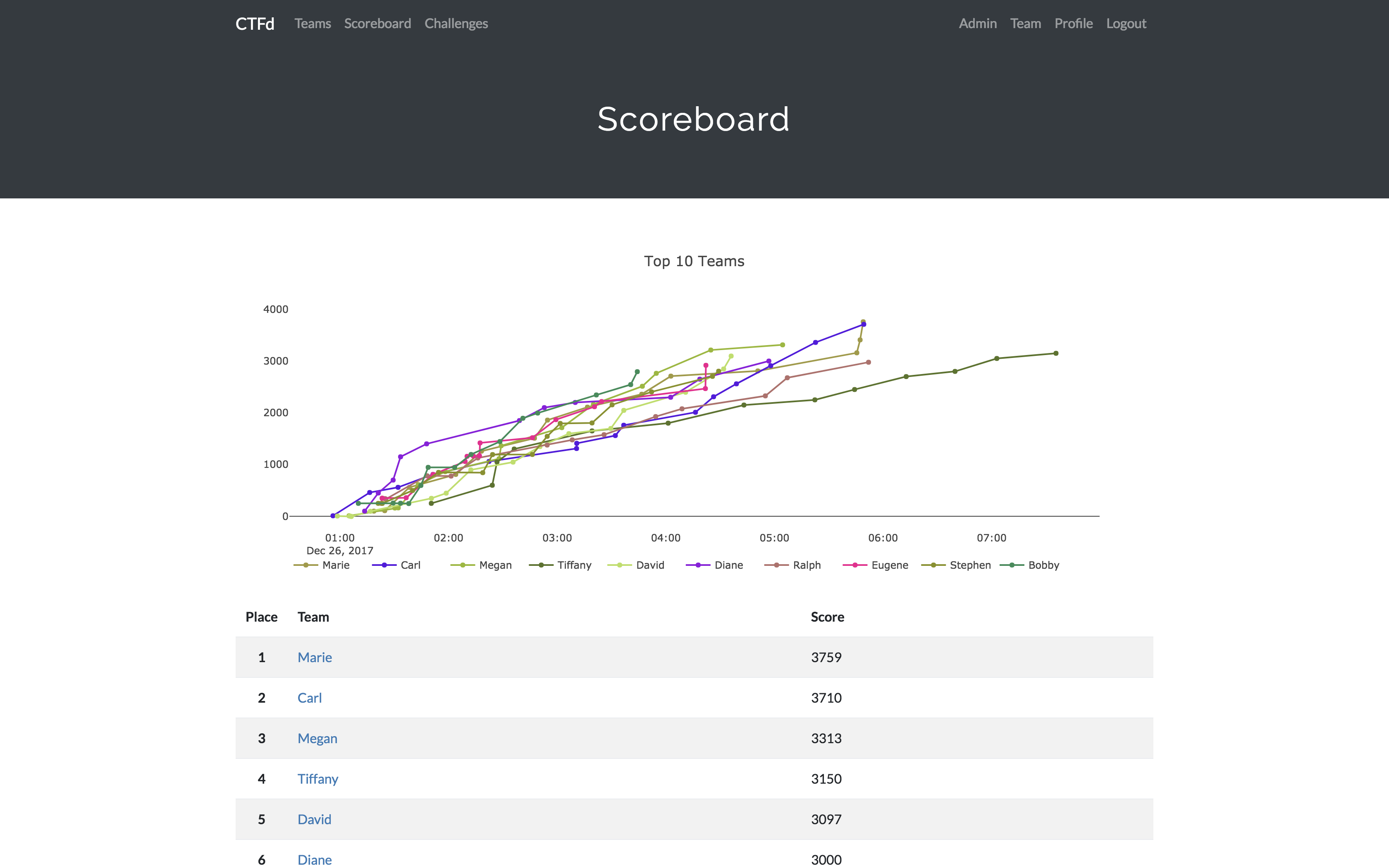
CTFd is a Capture The Flag framework focusing on ease of use and customizability. It comes with everything you need to run a CTF and it's easy to customize with plugins and themes.
|
|
|
|
|
|
|
|
## Features
|
|
|
|
- Create your own challenges, categories, hints, and flags from the Admin Interface
|
|
- Dynamic Scoring Challenges
|
|
- Unlockable challenge support
|
|
- Challenge plugin architecture to create your own custom challenges
|
|
- Static & Regex based flags
|
|
- Custom flag plugins
|
|
- Unlockable hints
|
|
- File uploads to the server or an Amazon S3-compatible backend
|
|
- Limit challenge attempts & hide challenges
|
|
- Automatic bruteforce protection
|
|
- Individual and Team based competitions
|
|
- Have users play on their own or form teams to play together
|
|
- Scoreboard with automatic tie resolution
|
|
- Hide Scores from the public
|
|
- Freeze Scores at a specific time
|
|
- Scoregraphs comparing the top 10 teams and team progress graphs
|
|
- Markdown content management system
|
|
- SMTP + Mailgun email support
|
|
- Email confirmation support
|
|
- Forgot password support
|
|
- Automatic competition starting and ending
|
|
- Team management, hiding, and banning
|
|
- Customize everything using the [plugin](https://docs.ctfd.io/docs/plugins/) and [theme](https://docs.ctfd.io/docs/themes/) interfaces
|
|
- Importing and Exporting of CTF data for archival
|
|
- And a lot more...
|
|
|
|
## Install
|
|
|
|
1. Install dependencies: `pip install -r requirements.txt`
|
|
1. You can also use the `prepare.sh` script to install system dependencies using apt.
|
|
2. Modify [CTFd/config.ini](https://github.com/CTFd/CTFd/blob/master/CTFd/config.ini) to your liking.
|
|
3. Use `python serve.py` or `flask run` in a terminal to drop into debug mode.
|
|
|
|
You can use the auto-generated Docker images with the following command:
|
|
|
|
`docker run -p 8000:8000 -it ctfd/ctfd`
|
|
|
|
Or you can use Docker Compose with the following command from the source repository:
|
|
|
|
`docker-compose up`
|
|
|
|
Check out the [CTFd docs](https://docs.ctfd.io/) for [deployment options](https://docs.ctfd.io/docs/deployment/) and the [Getting Started](https://docs.ctfd.io/tutorials/getting-started/) guide
|
|
|
|
## Live Demo
|
|
|
|
https://demo.ctfd.io/
|
|
|
|
## Support
|
|
|
|
To get basic support, you can join the [MajorLeagueCyber Community](https://community.majorleaguecyber.org/): [](https://community.majorleaguecyber.org/)
|
|
|
|
If you prefer commercial support or have a special project, feel free to [contact us](https://ctfd.io/contact/).
|
|
|
|
## Managed Hosting
|
|
|
|
Looking to use CTFd but don't want to deal with managing infrastructure? Check out [the CTFd website](https://ctfd.io/) for managed CTFd deployments.
|
|
|
|
## MajorLeagueCyber
|
|
|
|
CTFd is heavily integrated with [MajorLeagueCyber](https://majorleaguecyber.org/). MajorLeagueCyber (MLC) is a CTF stats tracker that provides event scheduling, team tracking, and single sign on for events.
|
|
|
|
By registering your CTF event with MajorLeagueCyber users can automatically login, track their individual and team scores, submit writeups, and get notifications of important events.
|
|
|
|
To integrate with MajorLeagueCyber, simply register an account, create an event, and install the client ID and client secret in the relevant portion in `CTFd/config.py` or in the admin panel:
|
|
|
|
```python
|
|
OAUTH_CLIENT_ID = None
|
|
OAUTH_CLIENT_SECRET = None
|
|
```
|
|
|
|
## Credits
|
|
|
|
- Logo by [Laura Barbera](http://www.laurabb.com/)
|
|
- Theme by [Christopher Thompson](https://github.com/breadchris)
|
|
- Notification Sound by [Terrence Martin](https://soundcloud.com/tj-martin-composer)
|