 9264e96428
# 3.1.0 / 2020-09-08

**General**

- Loosen team password confirmation in team settings to also accept the team captain's password to make it easier to change the team password
- Adds the ability to add custom user and team fields for registration/profile settings.
- Improve Notifications pubsub events system to use a subscriber per server instead of a subscriber per browser. This should improve the reliability of CTFd at higher load and make it easier to deploy the Notifications system

**Admin Panel**

- Add a comments functionality for admins to discuss challenges, users, teams, pages
- Adds a legal section in Configs where users can add a terms of service and privacy policy
- Add a Custom Fields section in Configs where admins can add/edit custom user/team fields
- Move user graphs into a modal for Admin Panel

**API**

- Add `/api/v1/comments` to manipulate and create comments

**Themes**

- Make scoreboard caching only cache the score table instead of the entire page. This is done by caching the specific template section. Refer to #1586, specifically the changes in `scoreboard.html`.
- Add rel=noopener to external links to prevent tab napping attacks
- Change the registration page to reference links to Terms of Service and Privacy Policy if specified in configuration

**Miscellaneous**

- Make team settings modal larger in the core theme
- Update tests in Github Actions to properly test under MySQL and Postgres
- Make gevent default in serve.py and add a `--disable-gevent` switch in serve.py
- Add `tenacity` library for retrying logic
- Add `pytest-sugar` for slightly prettier pytest output
- Add a `listen()` method to `CTFd.utils.events.EventManager` and `CTFd.utils.events.RedisEventManager`.
  - This method should implement subscription for a CTFd worker to whatever underlying notification system there is. This should be implemented with gevent or a background thread.
  - The `subscribe()` method (which used to implement the functionality of the new `listen()` function) now only handles passing notifications from CTFd to the browser. This should also be implemented with gevent or a background thread.
4.2 KiB




What is CTFd?
CTFd is a Capture The Flag framework focusing on ease of use and customizability. It comes with everything you need to run a CTF and it's easy to customize with plugins and themes.
Features
- Create your own challenges, categories, hints, and flags from the Admin Interface
- Dynamic Scoring Challenges
- Unlockable challenge support
- Challenge plugin architecture to create your own custom challenges
- Static & Regex based flags
- Custom flag plugins
- Unlockable hints
- File uploads to the server or an Amazon S3-compatible backend
- Limit challenge attempts & hide challenges
- Automatic bruteforce protection
- Individual and Team based competitions
- Have users play on their own or form teams to play together
- Scoreboard with automatic tie resolution
- Hide Scores from the public
- Freeze Scores at a specific time
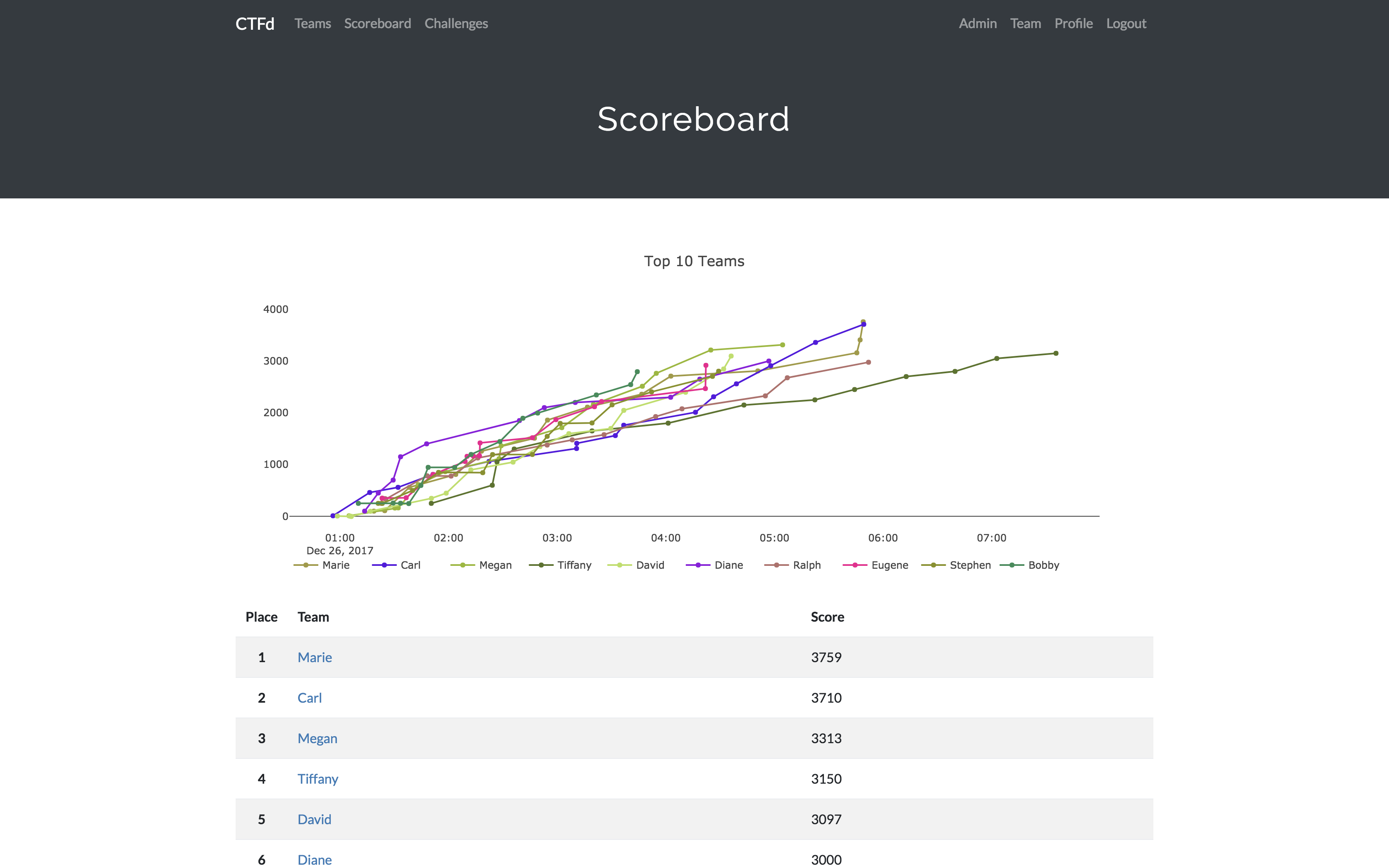
- Scoregraphs comparing the top 10 teams and team progress graphs
- Markdown content management system
- SMTP + Mailgun email support
- Email confirmation support
- Forgot password support
- Automatic competition starting and ending
- Team management, hiding, and banning
- Customize everything using the plugin and theme interfaces
- Importing and Exporting of CTF data for archival
- And a lot more...
Install
- Install dependencies:
pip install -r requirements.txt- You can also use the
prepare.shscript to install system dependencies using apt.
- You can also use the
- Modify CTFd/config.ini to your liking.
- Use
python serve.pyorflask runin a terminal to drop into debug mode.
You can use the auto-generated Docker images with the following command:
docker run -p 8000:8000 -it ctfd/ctfd
Or you can use Docker Compose with the following command from the source repository:
docker-compose up
Check out the CTFd docs for deployment options and the Getting Started guide
Live Demo
Support
To get basic support, you can join the MajorLeagueCyber Community:
If you prefer commercial support or have a special project, feel free to contact us.
Managed Hosting
Looking to use CTFd but don't want to deal with managing infrastructure? Check out the CTFd website for managed CTFd deployments.
MajorLeagueCyber
CTFd is heavily integrated with MajorLeagueCyber. MajorLeagueCyber (MLC) is a CTF stats tracker that provides event scheduling, team tracking, and single sign on for events.
By registering your CTF event with MajorLeagueCyber users can automatically login, track their individual and team scores, submit writeups, and get notifications of important events.
To integrate with MajorLeagueCyber, simply register an account, create an event, and install the client ID and client secret in the relevant portion in CTFd/config.py or in the admin panel:
OAUTH_CLIENT_ID = None
OAUTH_CLIENT_SECRET = None
Credits
- Logo by Laura Barbera
- Theme by Christopher Thompson
- Notification Sound by Terrence Martin