mirror of
https://github.com/aljazceru/goose.git
synced 2025-12-17 22:24:21 +01:00

41 lines
1.7 KiB
Markdown
41 lines
1.7 KiB
Markdown
---
|
|
description: Integrate Goose with Langfuse to observe performance
|
|
---
|
|
|
|
# Observability with Langfuse
|
|
|
|
This tutorial covers how to integrate Goose with Langfuse to monitor your Goose requests and understand how the agent is performing.
|
|
|
|
## What is Langfuse
|
|
|
|
[Langfuse](https://langfuse.com/) is an [open-source](https://github.com/langfuse/langfuse) LLM engineering platform that enables teams to collaboratively monitor, evaluate, and debug their LLM applications.
|
|
|
|
|
|
## Set up Langfuse
|
|
|
|
Sign up for Langfuse Cloud [here](https://cloud.langfuse.com) or self-host Langfuse [Docker Compose](https://langfuse.com/self-hosting/local) to get your Langfuse API keys.
|
|
|
|
## Configure Goose to Connect to Langfuse
|
|
|
|
Set the environment variables so that Goose (written in Rust) can connect to the Langfuse server.
|
|
|
|
```bash
|
|
export LANGFUSE_INIT_PROJECT_PUBLIC_KEY=pk-lf-...
|
|
export LANGFUSE_INIT_PROJECT_SECRET_KEY=sk-lf-...
|
|
export LANGFUSE_URL=https://cloud.langfuse.com # EU data region 🇪🇺
|
|
|
|
# https://us.cloud.langfuse.com if you're using the US region 🇺🇸
|
|
# https://localhost:3000 if you're self-hosting
|
|
```
|
|
|
|
## Run Goose with Langfuse Integration
|
|
|
|
Now, you can run Goose and monitor your AI requests and actions through Langfuse.
|
|
|
|
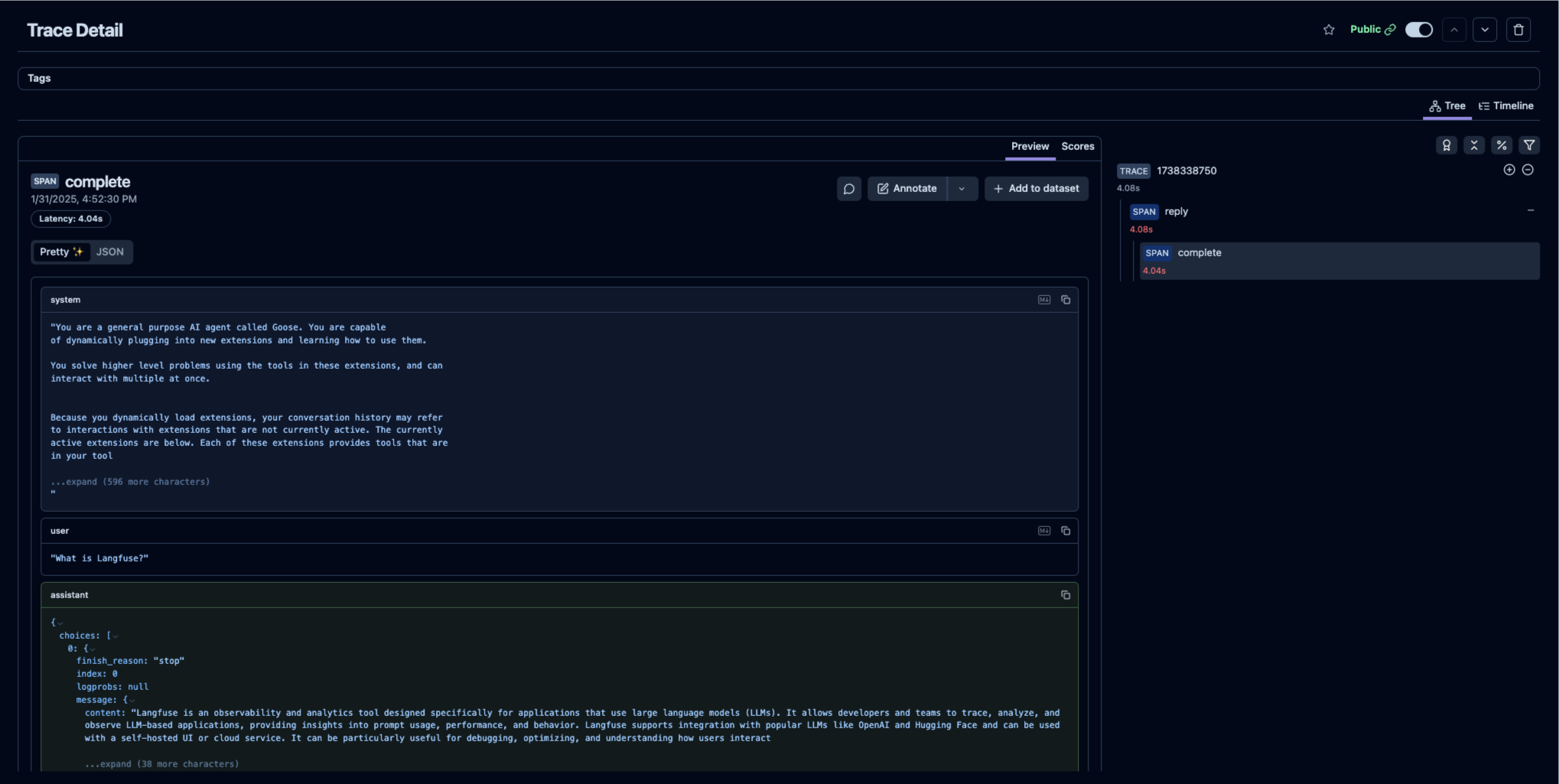
With Goose running and the environment variables set, Langfuse will start capturing traces of your Goose activities.
|
|
|
|
_[Example trace (public) in Langfuse](https://cloud.langfuse.com/project/cloramnkj0002jz088vzn1ja4/traces/cea4ed38-0c44-4b0a-8c20-4b0b6b9e8d73?timestamp=2025-01-31T15%3A52%3A30.362Z&observation=7c8e5807-3c29-4c28-9c6f-7d7427be401f)_
|
|
|
|
|
|
|