 7cf6d2b43a
2.5.0 / 2020-06-02
==================

**General**
* Use a session invalidation strategy inspired by Django. Newly generated user sessions will now include a HMAC of the user's password. When the user's password is changed by someone other than the user the previous HMACs will no longer be valid and the user will be logged out when they next attempt to perform an action.
* A user and team's place, and score are now cached and invalidated on score changes.

**API**
* Add `/api/v1/challenges?view=admin` to allow admin users to see all challenges regardless of their visibility state
* Add `/api/v1/users?view=admin` to allow admin users to see all users regardless of their hidden/banned state
* Add `/api/v1/teams?view=admin` to allow admin users to see all teams regardless of their hidden/banned state
* The scoreboard endpoints `/api/v1/scoreboard` & `/api/v1/scoreboard/top/[count]` should now be more performant because score and place for Users/Teams are now cached

**Deployment**
* `docker-compose` now provides a basic nginx configuration and deploys nginx on port 80

**Miscellaneous**
* The `get_config` and `get_page` config utilities now use SQLAlchemy Core instead of SQLAlchemy ORM for slight speedups
* Update Flask-Migrate to 2.5.3 and regenerate the migration environment. Fixes using `%` signs in database passwords.



What is CTFd?
CTFd is a Capture The Flag framework focusing on ease of use and customizability. It comes with everything you need to run a CTF and it's easy to customize with plugins and themes.
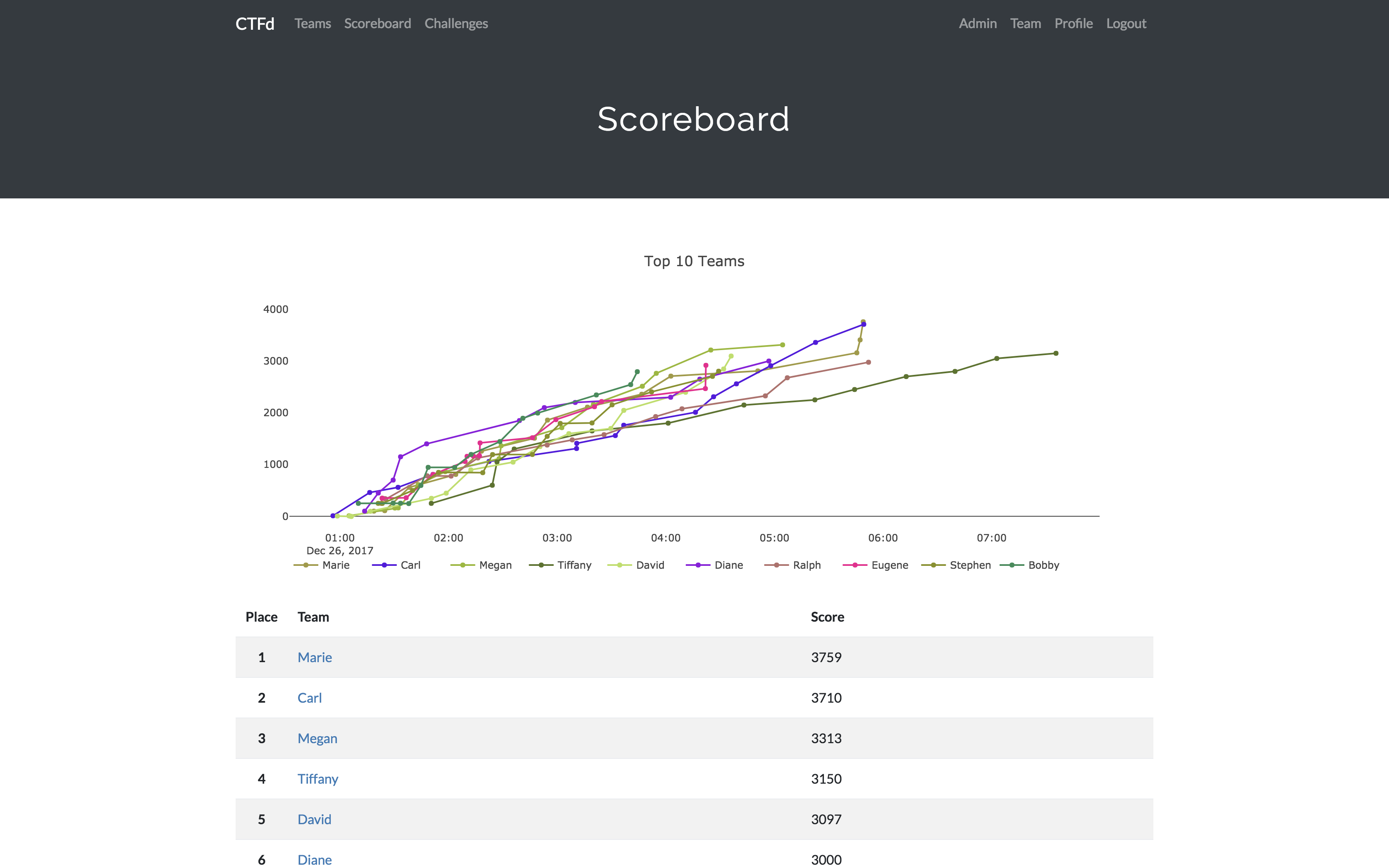
Features
- Create your own challenges, categories, hints, and flags from the Admin Interface
- Dynamic Scoring Challenges
- Unlockable challenge support
- Challenge plugin architecture to create your own custom challenges
- Static & Regex based flags
- Custom flag plugins
- Unlockable hints
- File uploads to the server or an Amazon S3-compatible backend
- Limit challenge attempts & hide challenges
- Automatic bruteforce protection
- Individual and Team based competitions
- Have users play on their own or form teams to play together
- Scoreboard with automatic tie resolution
- Hide Scores from the public
- Freeze Scores at a specific time
- Scoregraphs comparing the top 10 teams and team progress graphs
- Markdown content management system
- SMTP + Mailgun email support
- Email confirmation support
- Forgot password support
- Automatic competition starting and ending
- Team management, hiding, and banning
- Customize everything using the plugin and theme interfaces
- Importing and Exporting of CTF data for archival
- And a lot more...
Install
- Install dependencies:
pip install -r requirements.txt- You can also use the
prepare.shscript to install system dependencies using apt.
- You can also use the
- Modify CTFd/config.py to your liking.
- Use
flask runin a terminal to drop into debug mode.
You can use the auto-generated Docker images with the following command:
docker run -p 8000:8000 -it ctfd/ctfd
Or you can use Docker Compose with the following command from the source repository:
docker-compose up
Check out the wiki for deployment options and the Getting Started guide
Live Demo
Support
To get basic support, you can join the MajorLeagueCyber Community:
If you prefer commercial support or have a special project, feel free to contact us.
Managed Hosting
Looking to use CTFd but don't want to deal with managing infrastructure? Check out the CTFd website for managed CTFd deployments.
MajorLeagueCyber
CTFd is heavily integrated with MajorLeagueCyber. MajorLeagueCyber (MLC) is a CTF stats tracker that provides event scheduling, team tracking, and single sign on for events.
By registering your CTF event with MajorLeagueCyber users can automatically login, track their individual and team scores, submit writeups, and get notifications of important events.
To integrate with MajorLeagueCyber, simply register an account, create an event, and install the client ID and client secret in the relevant portion in CTFd/config.py or in the admin panel:
OAUTH_CLIENT_ID = None
OAUTH_CLIENT_SECRET = None
Credits
- Logo by Laura Barbera
- Theme by Christopher Thompson
- Notification Sound by Terrence Martin