 3fbfd81644
# 3.5.2 / 2023-05-01

**General**

- Generate cachable S3 URLs by rounding time down to the previous hour to generate a consistent URL
- Change email whitelist error message to not include the list of allowed domains
- Clean up the language for confirming the password on team password change
- Fix issue where dynamic challenges break if the decay is 0 and prevent users from adding a decay limit of 0 to dynamic value challenges

**Admin Panel**

- Adds support for admins to control `robots.txt`
- Clean up the aesthetics for the 'Pause CTF' and 'View After CTF' configs
- Replaced TLS and SSL checkbox text to match the defaults used by Mozilla Thunderbird to eliminate confusion when configuring SMTP

**Deployment**

- Slim down Docker image by removing several dependencies not needed for production usage
  - The image size has been reduced from 648MB to 398MB
- In the Docker image run CTFd in a virtual environment located at `/opt/venv`
- Add freezegun to application dependencies
- Bump dependencies for pybluemonday, redis, SQLAlchemy-Utils, python-geoacumen-city
- Fix race conditions on cache healthcheck
- Fix situations where numeric config items in config.ini could cause CTFd to not start




What is CTFd?
CTFd is a Capture The Flag framework focusing on ease of use and customizability. It comes with everything you need to run a CTF and it's easy to customize with plugins and themes.
Features
- Create your own challenges, categories, hints, and flags from the Admin Interface
- Dynamic Scoring Challenges
- Unlockable challenge support
- Challenge plugin architecture to create your own custom challenges
- Static & Regex based flags
- Custom flag plugins
- Unlockable hints
- File uploads to the server or an Amazon S3-compatible backend
- Limit challenge attempts & hide challenges
- Automatic bruteforce protection
- Individual and Team based competitions
- Have users play on their own or form teams to play together
- Scoreboard with automatic tie resolution
- Hide Scores from the public
- Freeze Scores at a specific time
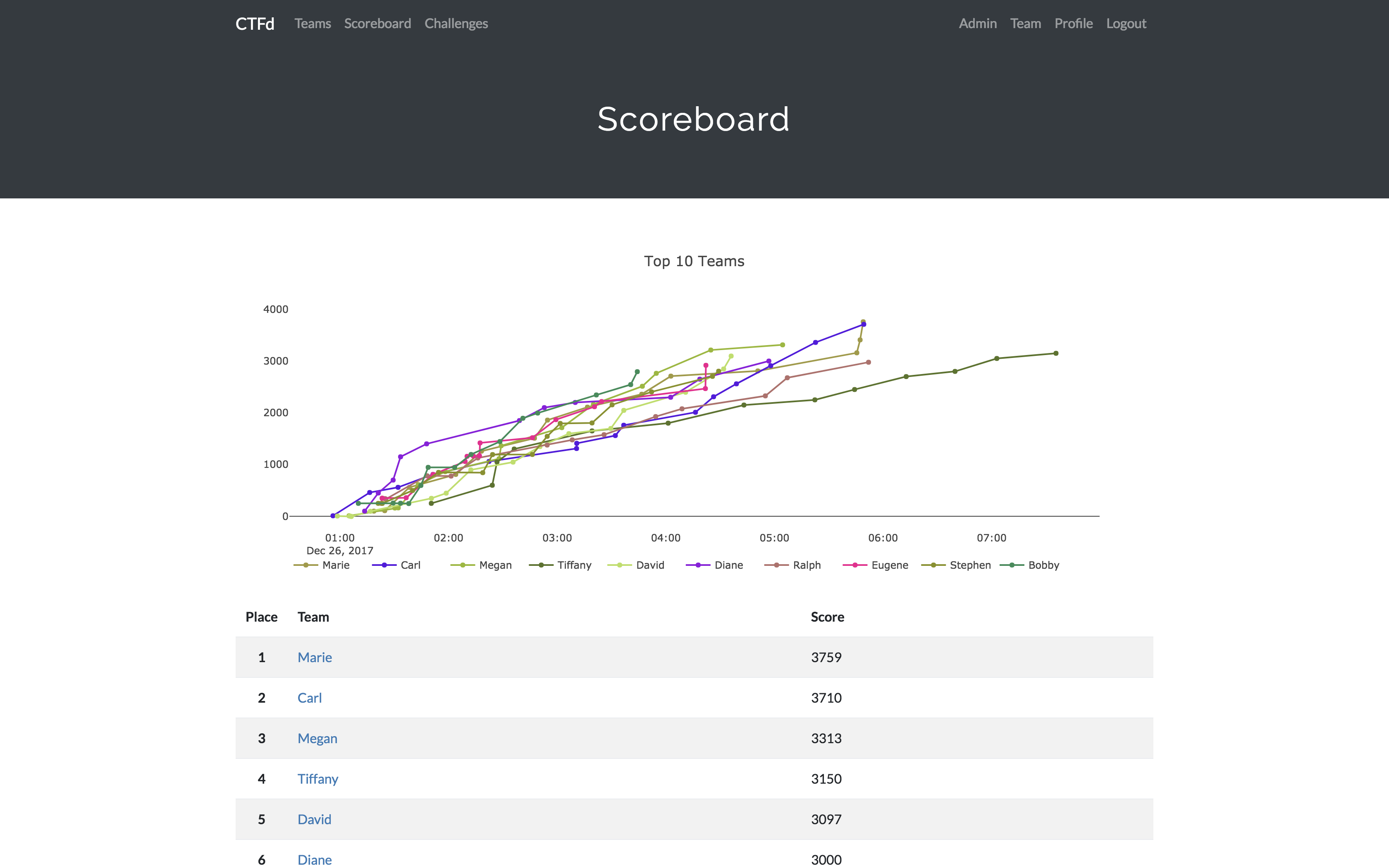
- Scoregraphs comparing the top 10 teams and team progress graphs
- Markdown content management system
- SMTP + Mailgun email support
- Email confirmation support
- Forgot password support
- Automatic competition starting and ending
- Team management, hiding, and banning
- Customize everything using the plugin and theme interfaces
- Importing and Exporting of CTF data for archival
- And a lot more...
Install
- Install dependencies:
pip install -r requirements.txt- You can also use the
prepare.shscript to install system dependencies using apt.
- You can also use the
- Modify CTFd/config.ini to your liking.
- Use
python serve.pyorflask runin a terminal to drop into debug mode.
You can use the auto-generated Docker images with the following command:
docker run -p 8000:8000 -it ctfd/ctfd
Or you can use Docker Compose with the following command from the source repository:
docker-compose up
Check out the CTFd docs for deployment options and the Getting Started guide
Live Demo
Support
To get basic support, you can join the MajorLeagueCyber Community:
If you prefer commercial support or have a special project, feel free to contact us.
Managed Hosting
Looking to use CTFd but don't want to deal with managing infrastructure? Check out the CTFd website for managed CTFd deployments.
MajorLeagueCyber
CTFd is heavily integrated with MajorLeagueCyber. MajorLeagueCyber (MLC) is a CTF stats tracker that provides event scheduling, team tracking, and single sign on for events.
By registering your CTF event with MajorLeagueCyber users can automatically login, track their individual and team scores, submit writeups, and get notifications of important events.
To integrate with MajorLeagueCyber, simply register an account, create an event, and install the client ID and client secret in the relevant portion in CTFd/config.py or in the admin panel:
OAUTH_CLIENT_ID = None
OAUTH_CLIENT_SECRET = None
Credits
- Logo by Laura Barbera
- Theme by Christopher Thompson
- Notification Sound by Terrence Martin